Quality IT, Advice, Support and Delivery

Showing posts with label Hackers. Show all posts

Thursday, 17 March 2016

SQL Server 2005 End Of Life

Last year we saw Microsoft retire Windows Server 2003 and this year will see Microsoft retire yet another product. SQL Server 2005 is the latest Microsoft product nearing its end of life date of April 12, 2016.


What does End of Life mean for end users?
Every product we use is likely to have a lifecycle, and Microsoft products are no different. All that Microsoft mean by the end of life of any of their products, SQL Server 2005 included, is that Microsoft will no longer support the product. Ultimately this means that Microsoft will no longer provide automatic fixes, updates or online technical support for retired products.

After April 12, 2016 SQL Server 2005 will no longer receive assisted technical support from Microsoft, software and content updates or the security patches that help provide protection from harmful viruses, spyware and other malicious software, thus resulting in an insecure and unstable infrastructure for your business. Not migrating away from SQL Server 2005 will expose you to an elevated risk of cybersecurity dangers or malicious attacks.

What are the options?
Literally speaking you have two options, you can upgrade to a newer version of SQL Server or you can continue to use an unsupported SQL Server 2005. However it is highly advisable that you do upgrade, not only for security reasons, but also because continuing to use an outdated system can cause compliance issues and end up costing a small fortune in maintenance costs.

Why upgrade?
Continuing to use out of date software poses potential security risks and is likely to make you a prime target for hackers, as it is easier for cyber criminals to exploit vulnerable software. After April 12, 2016 it is highly likely that you will need to invest in extra security to protect the vulnerable SQL Server 2005, and the cost for maintaining aging hardware will continue to increase with time. Another key reason to upgrade is compliance, many compliances require up-to-date, patch databases, just like they do with the operating system.

Additionally software has progressed since the release of SQL Server 2005 and so there are significant improvements and features that have been added to newer versions of SQL Server. For example SQL Server 2014 provides higher availability and scalability, with dramatic performance improvement, compared with the soon to be outdated SQL Server 2005. The benefits of upgrading to a modern data platform far outweigh the costs of maintaining security, support and compliance for an unsupported database.

Act Now – Upgrade
Upgrading is an opportunity to provide new value to your business, by enabling you to achieve breakthrough performance.

Here are the three key steps for upgrading away from SQL Server 2005:  discover, target and upgrade. 

Step 1 – Discover:
It is highly recommended that you start by determining which applications are running SQL Server 2005. This process can be done using the Microsoft Assessment and Planning Toolkit or by collaborate with Practical Networks, a Microsoft Partner, who will be able to assist with the whole
upgrade.

Step 2 – Target:
In this step you need to determine a migration destination for each application, whether on-premises, virtualized or in the cloud. The choice of destination will be driven by factors such as speed, ease of migration, cost and desired functionality, with the most common choice being Windows Server 2012 R2.

Step 3 – Upgrade:
The final step is to plan and execute the upgrade, this may require additional assistance. Such assistance is available from Practical Networks a trusted Microsoft Partner.

If you would like more information or any assistance with your upgrade, please do not hesitate to get in touch with either David Philps or Andy Potts on 01723 587240.
Thursday, 5 March 2015

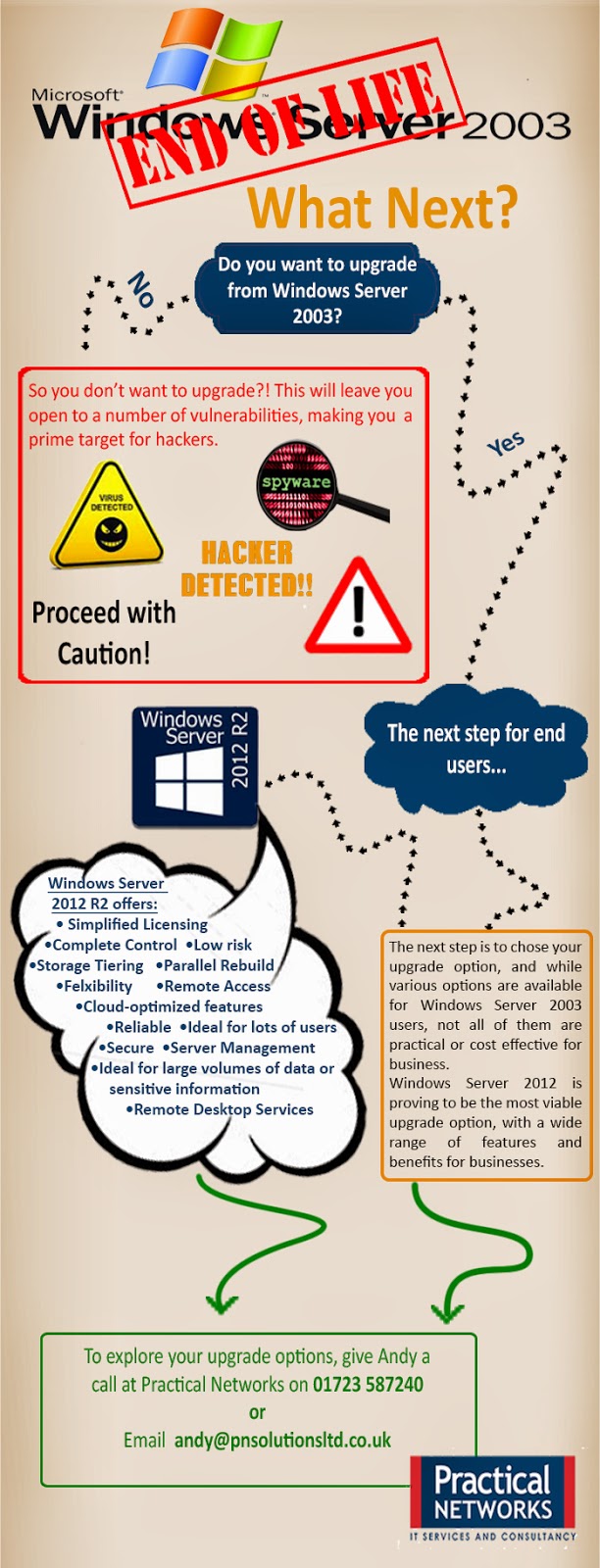
Windows Server 2003 End of Life - Be Prepared!

Last year we saw Microsoft retire both Windows XP and Office 2003 and this year will see Microsoft retire yet another product. Windows Server 2003 is the latest Microsoft product nearing its end of life date of July 14, 2015.

What does End of Life mean for end users?
Every product we use is likely to have a lifecycle, and Microsoft products are no different. All that Microsoft mean by the end of life of any of their products, Windows Server 2003 included, is that Microsoft will no longer support the product. Ultimately this means that Microsoft will no longer provide automatic fixes, updates or online technical support for retired products. 

After July 14, 2015 Windows Server 2003 will no longer receive assisted technical support from Microsoft, software and content updates or the security patches that help provide protection from harmful viruses, spyware and other malicious software, thus resulting  in an unsecured and unstable infrastructure for your business. Not migrating away from Windows Server 2003 will expose you to an elevated risk of cybersecurity dangers or malicious attacks.  


Continuing to use an unsupported server operating system would not only leave you vulnerable to hackers and security attacks, but it could end up costing your business a small fortune in maintenance costs. After July 14, 2015 you will need intrusion detection systems, advanced firewalls and network segmentation  to protect the vulnerable Windows Server 2003 platform, and the cost for maintaining ageing hardware will continue increasing with time. Also you may find that using an unsupported server operating system will result in a failure to meet industry wide compliance standards, which could ultimately result in a loss of business.

Another reason to migrate away from Windows Server 2003 before the end of life date is the fact that new software and hardware devices will no longer be built to integrate with Windows Server 2003, thus resulting in compatibility issues when updating software or hardware.

Act Now – Discover your upgrade options
As we explored above it is highly unadvisable to continue using Windows Server 2003 after it reaches its end of life, and so the only remaining option is to upgrade.  It is important to start your upgrade early as it will take a lot of planning and executing, and leaving it until the last minute is a big risk to take.

Here are the four key steps for migrating away from Windows Server 2003 as; discover, access, target and migrate.  


 Step 1 – Discover:
It is highly recommended that you start by finding out and cataloging the applications and workloads you have running on Windows Server 2003. It is vital that you catolog everything that you have running on Windows Server 2003, as this will help insure that nothing is omitted from the migration.

Whether you use the Microsoft self-service toolkit or collaborate with a Microsoft Partner this process is a lengthy yet essential part of the migration planning.

Step 2 – Assess:
Once you have a complete catalog of applications and workloads, it is time to assess its contents. This means categorising and analysing your applications and workloads based on four key factors, type, importance, complexity and risk. This assessment will allow you to prioritise workloads and applications for migration, while also helping identify and issues.

Step 3 – Target:
In this step you need to determine a migration destination for each application and workload. The choice of destination will be driven by factors such as speed, ease of migration, cost and desired functionality, with the most common choice being Windows Server 2012 R2.

Step 4 – Migrate:
The final step is to execute the migration, however finding the right migration plan may require additional analysis and assistance. Such assistance is available from Practical Networks a trusted Microsoft Partner.

If you would like more information or any assistance with your migration, please do not hesitate to get in touch with either David Philps or Andy Potts on 01723 587240.